
Sprite sheet + JSON
A packed PNG grid accompanied by JSON metadata that describes the exported frame layout.
Free sprite sheet maker · AI animation
Drop PNG frames, a whole folder, or a GIF to pack them into a sprite sheet with JSON, right in your browser. It is free and needs no account. No frames yet? Generate the animation from one character image with AI and export it the same way.
Drop your frames to make a sprite sheet
Several PNG, WebP, or JPEG images, a whole folder, or a GIF, processed on this device
Runs in your browser. Your file is not uploaded, and no account is needed.
Real output
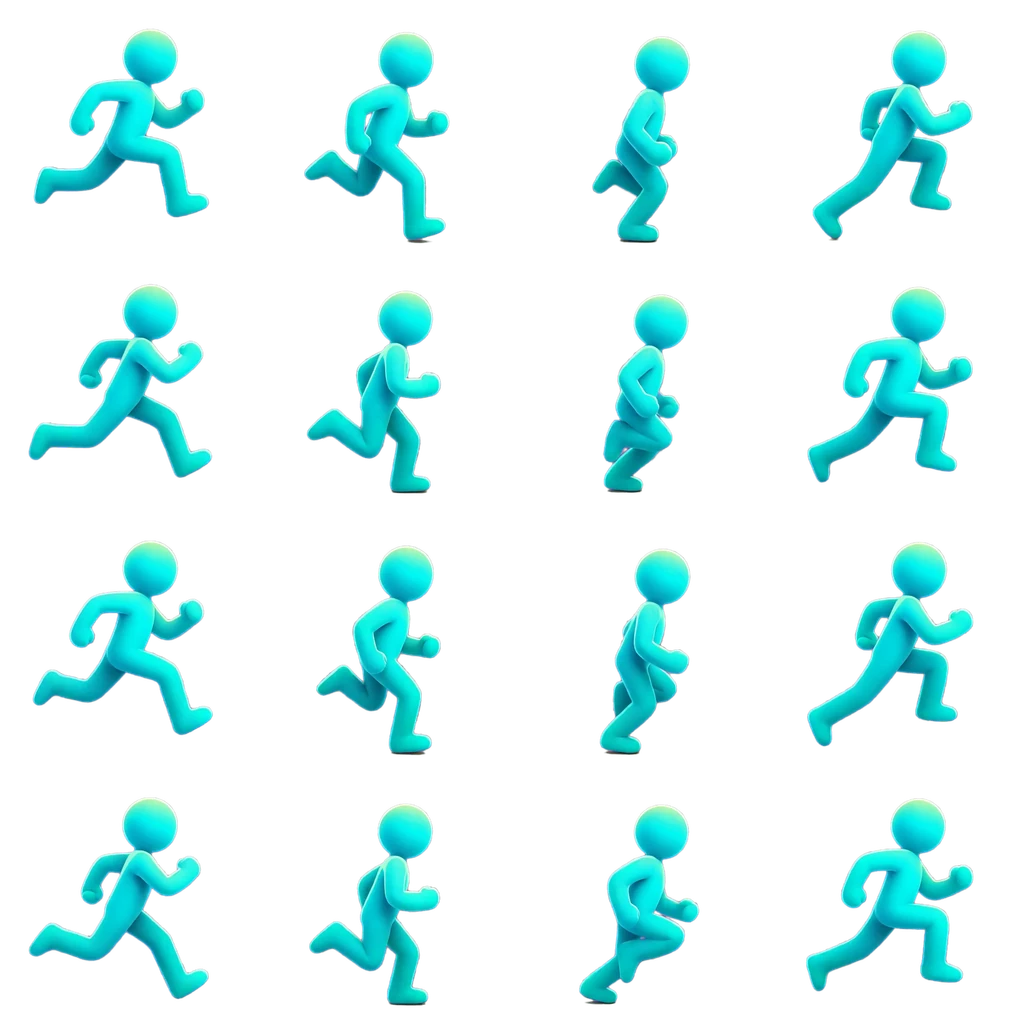
This project-owned 4 × 4 PNG was sampled from a selected 1.292-second interval in a 4.00-second source video. Each cell is 384 × 384, the playback target is 12 fps, and matching JSON metadata is available on the full example page.
Sprite sheet workflow
Keep generation, clip editing, frame sampling, and packaging as visible steps so the exported grid reflects the part of the animation you actually want to use.
Upload character art when you need to create motion, or import an existing MP4, WebM, or MOV clip.
Create a video preview from the image, or open supported animation footage directly in the workspace.
Set the useful range, inspect it frame by frame, and choose how many frames should represent the motion.
Download a sprite sheet with JSON metadata, individual PNG frames, or an engine-ready asset pack.
Start with what you have
The output workflow is shared, but the first step depends on whether the character still needs motion or the animation already exists.
Upload character art, describe the action, and review an AI-generated motion preview before choosing frames.
Read the image-to-animation workflowImport supported footage, choose in and out points, and convert the selected interval into game asset files.
Read the video conversion workflowFrame and layout controls
A sprite sheet generator is most useful when clip selection and export choices remain separate. Review the motion first, then choose the frame count, dimensions, processing, and package formats.
Export options
You can select more than one format for the same export. Check the downloaded files and transparency edges before adding them to a production project.
A packed PNG grid accompanied by JSON metadata that describes the exported frame layout.
Individual PNG frames in a ZIP archive when your tools or engine prefer separate images.
Sprite assets and import metadata packaged for Unity, Godot 4, Unreal Paper2D, Cocos Creator, or Construct 3.
Yes. Drop the frames, a folder of them, or a GIF into the sprite sheet maker at the top of this page. It runs in your browser, so nothing is uploaded and no account is needed. Reorder the frames, trim and align them, set the columns and spacing, then download the sprite sheet PNG, Aseprite-format JSON, or an animated GIF.
AnimGen can generate a motion preview from character art, but it does not skip review. You select the useful clip and export settings before the final sprite sheet is created.
Yes. Upload a character PNG, generate the motion, and export the selected frames as a sprite sheet. If you already have the frames as separate PNG files, pack them with the free sprite sheet maker at the top of this page instead.
Yes. The current web workflow accepts MP4, WebM, and MOV imports, subject to the browser being able to decode the media inside the file.
Yes. The sprite sheet export includes a PNG plus JSON metadata for the frame layout. Separate PNG frames and engine packages are also available.
Optional color key or matting can process suitable footage during export. Results vary with the source, so inspect fine details, shadows, blur, and edges before production use.
Create an account, generate or import motion, select the useful frames, and export the package your game needs.
Start making sprite sheets