
AI character sprite generator
Character sprite generator for game-ready animations
Upload one character image, describe the action, and turn it into animated character sprites. Review the motion, keep the clean loop, and export a character sprite sheet, PNG frames, or an engine-ready pack.
Real output
Character sprites made from one image
Each sprite sheet below was exported from motion generated from a single project-owned character image.
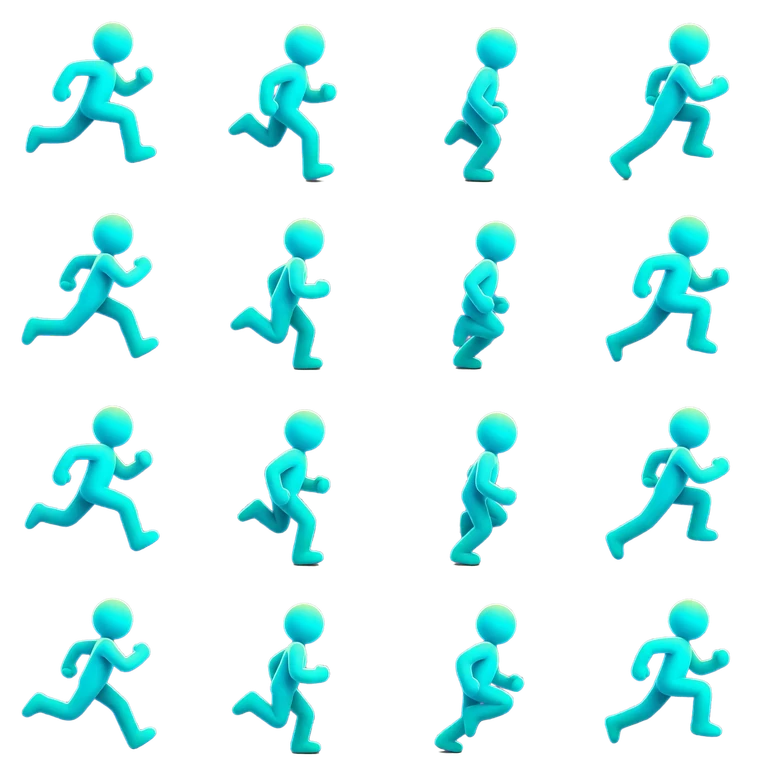
Side-view run cycle
16 frames · 4 × 4 · 384 × 384 per frame
Inspect the workflow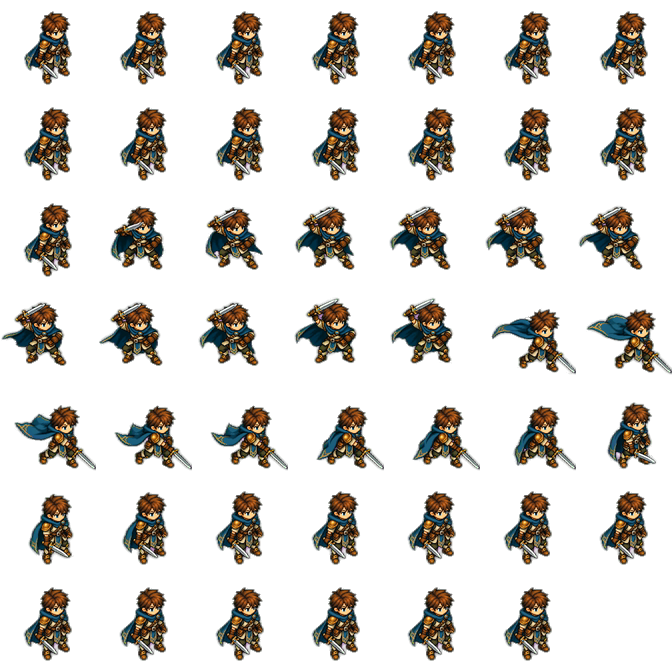
Isometric sword slash
48 transparent frames · pixel art
Animate pixel art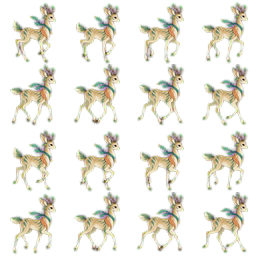
Forest deer trot
4 × 4 sprite sheet · hand-painted
Open the sprite sheet makerCharacter sprite workflow
From one character image to a sprite sheet
Generate the motion first, then decide which frames become the character sprites.
- 1
Upload the character
Start with one readable character image, ideally on a transparent background.
- 2
Describe the action
State the move, such as walk, run, idle, or attack, and the direction the character faces.
- 3
Review and trim
Inspect the generated motion and select the clean loop or one-shot range.
- 4
Export the sprite sheet
Download a sprite sheet with JSON, PNG frames, or a pack for your game engine.
Several actions, one character
Build an idle, run, and attack set
Generate each action from the same source image, then export every clip with the same frame size so the set fits one character in your game.
- Use the same character image as the start frame for every action.
- Export each action at the same frame size, and set canvas and pivot so the feet line up.
- Trim loops such as idle and run separately from one-shot moves such as attack.
- Import the sprite sheets into Unity, Godot 4, Unreal Paper2D, Cocos Creator, or Construct 3.
Character sprite questions
What is a character sprite?
A character sprite is the set of 2D frames a game uses to draw a character. AnimGen generates those frames from one image and packs them into a sprite sheet.
Do I need to draw every frame?
No. You provide one character image and describe the action; the model generates the motion and you choose which frames to keep.
Can I make idle, run, and attack animations for one character?
Yes. Generate each action from the same source image and export them with matching frame sizes.
Will the character look identical in every frame?
Not guaranteed. Results vary with source art, prompt, model, resolution, and duration, so review the preview before export.
Related workflows
Generate sprites for your next character
Create an account, upload a character image, and export the sprite sheets your game needs.
Start generating sprites