
In this guide
A short punch rarely needs four seconds of animation. If you generate it on its own, part of the clip may be spent waiting before or after the attack. That time can sometimes fit a second complete action.
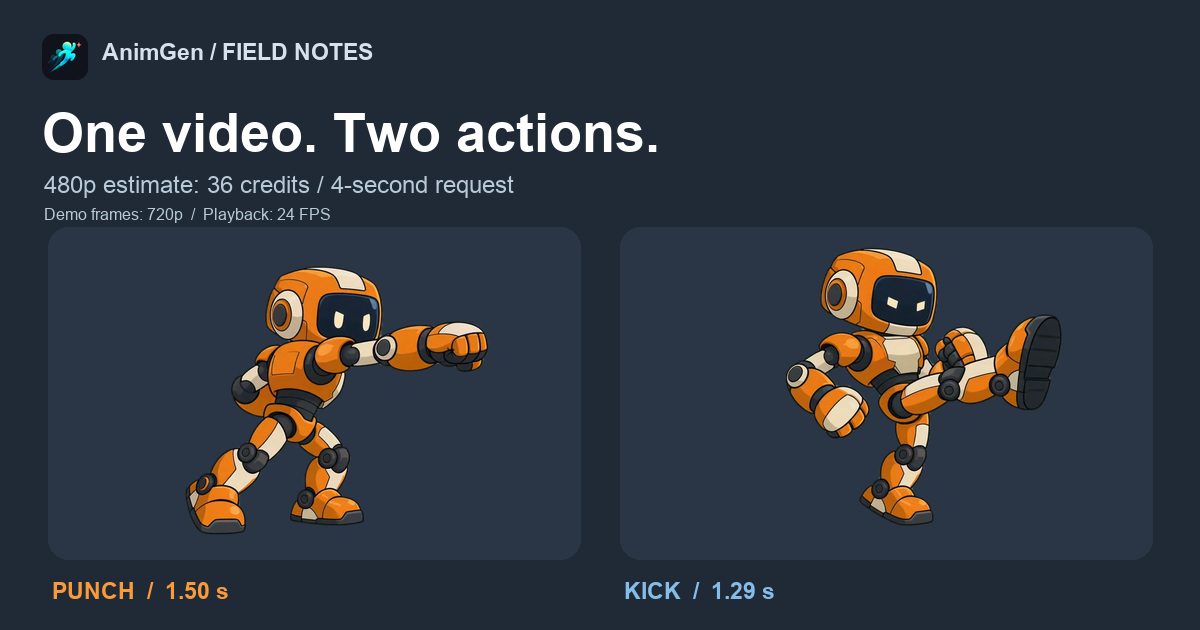
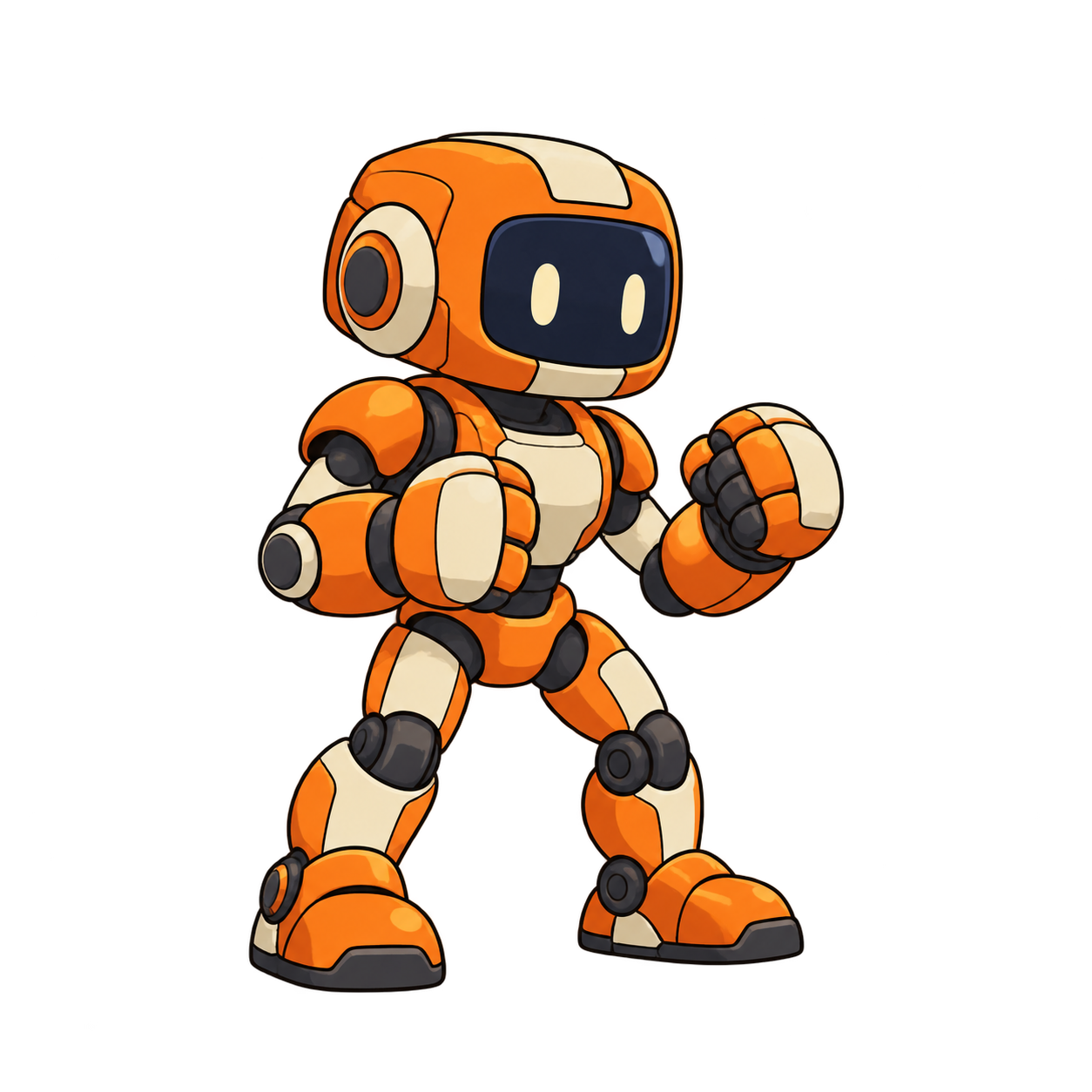
We gave this robot a straight punch followed by a front kick in one 4-second request. From that take, we kept a 1.50-second punch and a 1.29-second kick, each with its own anticipation and recovery. Both play at 24 FPS.
For a lower-cost workflow, a 4-second, 480p request with Seedance 2.0 Fast is currently quoted at 36 credits. If one take gives you two usable actions, that works out to 18 credits per action. The footage below is a 720p demonstration; the cost example uses 480p.
The inline videos use a baked dark background for viewing. The two-button demo and downloadable sprite pack use transparent PNGs, so you can place the character against different backgrounds.
Choose two actions that return to the same pose
Punch and kick work well for this example because they share a guard stance. The arms and legs are easy to follow, and each action can finish without moving the character to a different part of the scene.
We used a simple orange-and-ivory robot with visible hands and feet, no weapon, and no flowing fabric. Fewer moving accessories make it easier to judge whether both attacks are usable.
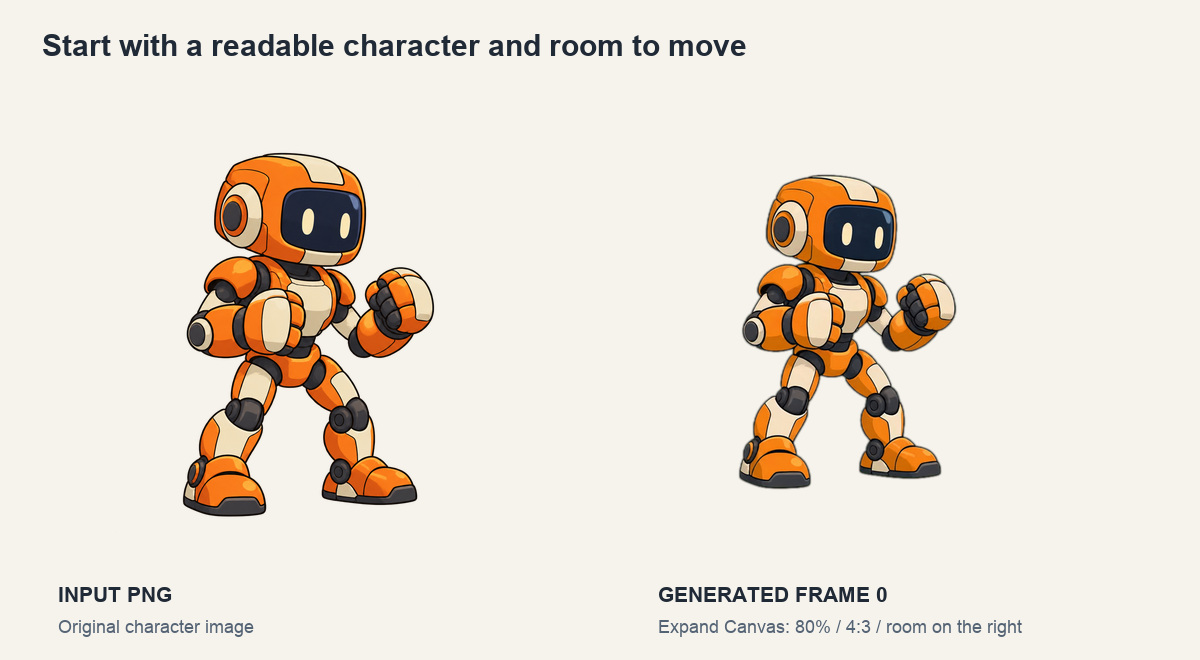
Before generation, we used Expand Canvas at 80% scale on a 4:3 canvas, positioning the character toward the left. The punch and kick extend to the right, so they need room beyond the standing silhouette. The image above compares the original input with the actual generated first frame; it is not a screenshot of the canvas controls.
For your first attempt, pick two moves that can each start and finish from a similar stance: a punch and a kick, two short weapon attacks, or a wave and a thumbs-up. A running jump followed by a long attack asks much more of the same four seconds.
Ask for complete actions with a visible separation
“Punch, then kick” can produce a continuous combo with no clear place to split it. Our prompt asks the robot to retract the attacking limb and return to guard after each move, with a brief pause between them.
This is the exact prompt used for the sample:
Animate the same orange and ivory robot from the input image in one
continuous four-second locked-camera shot, facing right. Create exactly
TWO separate short game attacks, each with clear anticipation, impact
and recovery. First perform one quick straight punch toward the right,
then fully retract the fist and return to the original guard stance.
After a brief readable separation, perform one front kick toward the
right, then retract the leg and return to the same guard stance with
both feet planted. Give the punch and the kick roughly half of the clip
each. Keep the actions compact, decisive and at normal speed, with very
little idle time at the beginning and end. These are two individually
complete actions, not a blended combo. Preserve the character's orange
and ivory armor, dark joints, proportions and clean 2D cartoon rendering
throughout. Keep the entire body, fists and feet visible inside the
frame. Maintain the character's original screen position and consistent
scale, with no walking away. Fixed camera, no panning, zooming or cuts.
Retain the plain uniform key-color background supplied in the input. No
floor, shadows, added characters, weapons, text, particles, glow, motion
trails or scene changes.
The request used Seedance 2.0 Fast, a 4-second duration, the 720p resolution tier, and a 4:3 aspect ratio. It was generated through AnimGen's MCP workflow; you can use the same motion instructions in the web app.
The returned video measures 1112 × 834 pixels and contains 97 frames at 24 FPS, or about 4.04 seconds. We then exported a 1024 × 768 transparent ProRes 4444 master and PNG sequence. The selected resolution tier, actual returned dimensions, and export dimensions describe different stages of this example.
Split the take without losing the wind-up or recovery
Scrub through the take and find the start and finish of each complete action. A fully extended fist is a useful pose to inspect, but the exported punch also needs the motion that gets it there and brings it back.
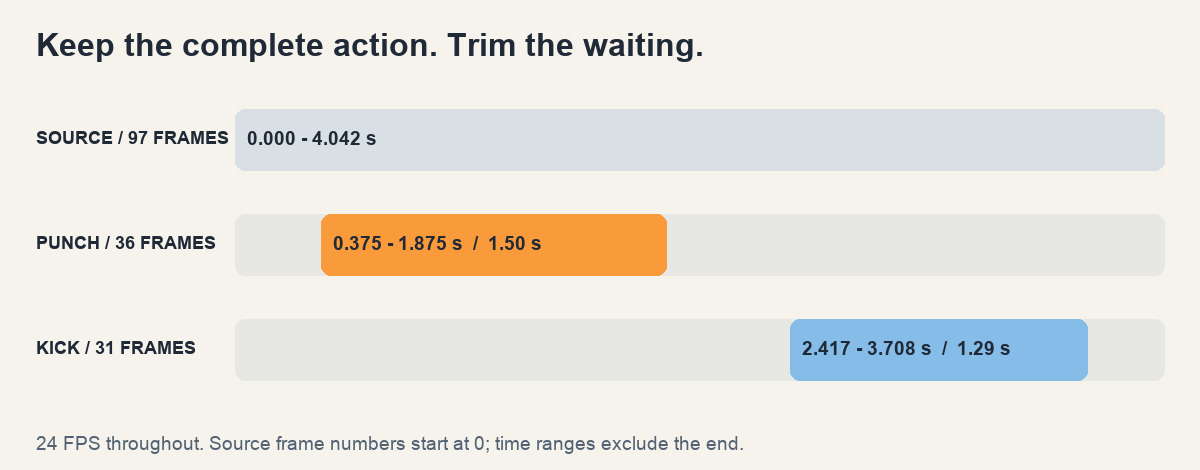
| Action | Source frames, starting at 0 | Kept frames | Duration at 24 FPS |
|---|---|---|---|
| Straight punch | 9–44, inclusive | 36 | 1.50 seconds |
| Front kick | 58–88, inclusive | 31 | About 1.29 seconds |
The timeline uses end-exclusive time ranges: 0.375–1.875 seconds for the punch and about 2.417–3.708 seconds for the kick. We retained every frame inside each selection, without speeding up the footage or interpolating new frames.
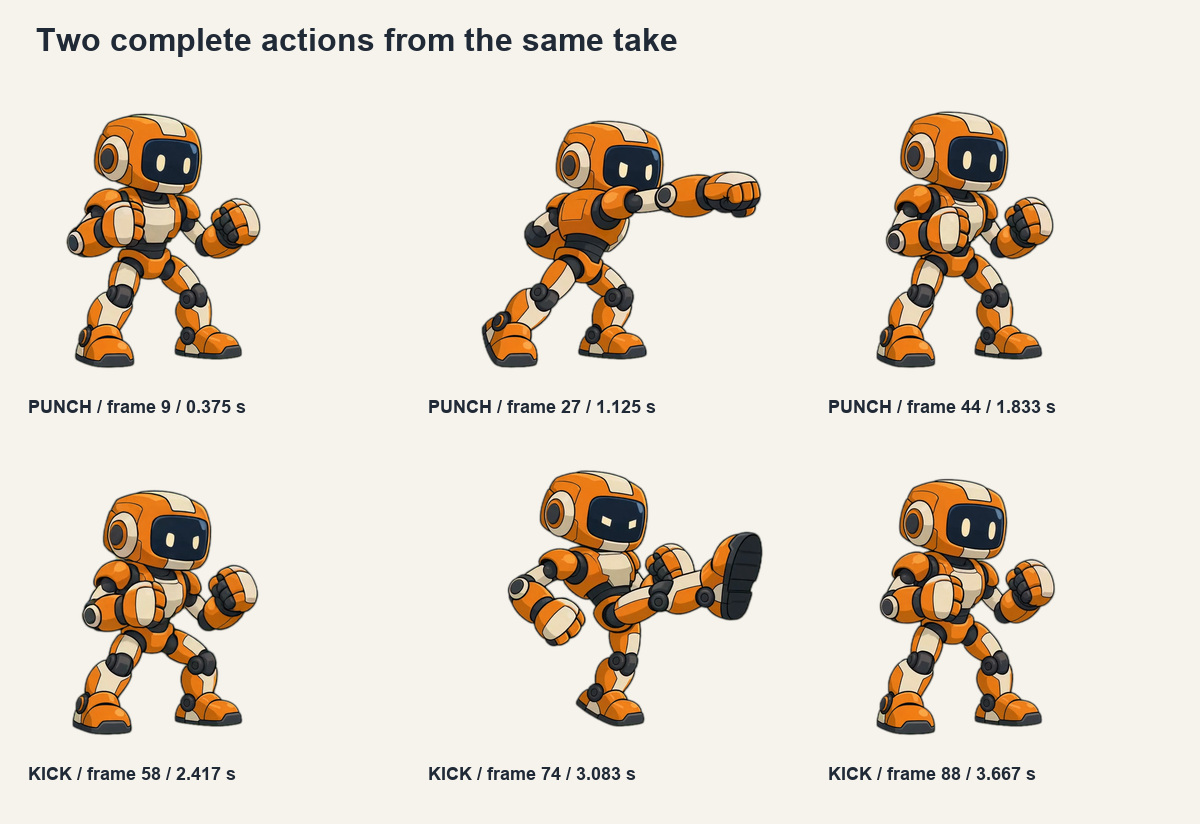
In AnimGen, use trimming and export to select each move, then save it separately at the source frame rate. Check the last few frames as carefully as the strike. If the next move starts before the first has recovered, a clean split may require another take or a different pairing of actions.
Try each attack on its own button
Open the interactive punch-and-kick demo. It starts from a shared ready pose taken from source frame 48. Punch plays the 36-frame sequence once; Kick plays the 31-frame sequence once. Both return to that ready pose when finished.
The demo ignores new attack input during playback. Reset cancels the current move, and the counters record completed actions. Try alternating between the two moves, then switch the background to check their transparent edges.
All frames use the same canvas and placement, including the ready pose. The downloadable version uses 512 × 384 pixels per frame. Keeping that shared space avoids adding an offset by cropping each attack differently. Small differences between the generated entry and exit poses are still worth checking in playback.
This is a playback example. In a game, you would also assign hit windows and decide when movement, another attack, or a dodge is allowed. Our sword-attack editing example goes further into adjusting the timing of a single attack.
At 480p, one 4-second request costs 36 credits
For Seedance 2.0 Fast at 480p, 4 seconds, and 4:3, the quote checked on September 26, 2026 was 36 credits. If one request produces two independently usable actions, the generation cost averages 18 credits per action.
| 480p approach | Requests | Generation credits | Average per usable action |
|---|---|---|---|
| Put two actions in one 4-second video | 1 | 36 | 18 |
| Generate a separate 4-second video for each action | 2 | 72 | 36 |
Both rows are calculated from the same quote and assume two usable actions on the first attempt. Under those conditions, combining the actions saves 50% of the generation credits. The robot footage in this article was produced at 720p; the table shows a 480p pricing example, not the charge for that footage. Check the quote in the app before generating.
One extra 36-credit attempt brings the combined workflow to 72 credits. Count the actions you can actually keep when deciding whether another attempt is worthwhile. The comparison covers video generation, excluding character-image creation, export, plan costs, and editing time.
Add a third action only if there is room to finish it
Two attacks leave enough time here for each limb to extend and return. A third move would shorten those intervals. Three small gestures may fit better than three attacks with long wind-ups or large movement across the screen.
Start with two. Check that both work separately, then decide whether your next pair has enough spare time for a third short action. If the movements blend together, the final move is rushed, or a hand never returns to ready, simplify the sequence before spending more credits on the same crowded prompt.
Download the two transparent actions
The transparent sprite pack is about 4.50 MB. It contains separate punch and kick PNG sprite sheets, matching frame JSON files, the shared ready pose, and the selection recipe. Each cell is 512 × 384 pixels; playback is 24 FPS. Use the JSON frame count: the kick sheet has unused cells at the end.
The original character PNG, raw generated video with its key-color background, prompt, and frame selection recipe are available separately. The media record lists dimensions, frame counts, file hashes, and the cost comparison.
Try the two clips in a small scene before generating a larger move set. Once the punch, kick, and return to ready feel right, prepare another pair of short actions for your own character in AnimGen.