Sprite sheet animator
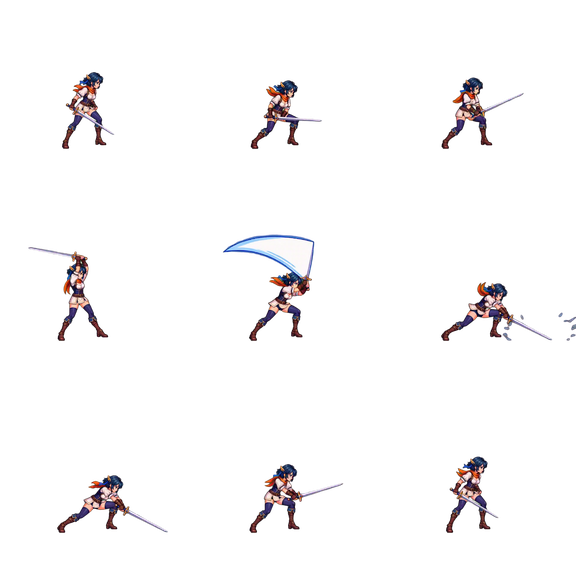
Load a sprite sheet and watch it play. Pick the frames or a row, set the frame rate, loop it or play it back and forth, and step through it frame by frame to catch a bad frame before it goes into your game. Nothing is uploaded.
- Runs in your browser
- Nothing is uploaded
- No account needed
Drop a sprite sheet to play it
PNG, WebP, GIF, or JPEG, processed on this device
Your file stays on this device.
Animate a sprite sheet in four steps
- 1
Drop your sprite sheet
Use a PNG, WebP, GIF, or JPEG sheet, or try the sample walk cycle. The grid is found from the gaps between frames.
- 2
Choose the frames
Click cells in the order they should play, or pick one row for one animation. Fix the grid if a frame is cut off.
- 3
Play and check
Set the frame rate, loop or ping-pong, zoom in with sharp pixels, and step one frame at a time. The playing frame is outlined on the sheet.
- 4
Export or keep going
Download a GIF of what you see, or open the same sheet in the sprite sheet to GIF converter for scale and more options.
What to check while it plays
- Timing: the frame rate is also shown as milliseconds per frame and the length of one loop, so you can match it to your engine's animation settings.
- The loop seam: watch the last frame return to the first. Ping-pong plays the frames forward and then back, which suits idles and breathing loops.
- Cut-off or shifted frames: step one frame at a time and watch the outlined cell on the sheet. If the character jumps, the grid or offset is wrong.
- Edges: switch the background between a checkerboard, white, black, or your game's colour to see halos and stray pixels.
Sprite sheet animator questions
Is my file uploaded to a server?
No. The file is read and converted by JavaScript in your browser tab, and the download is created on your device. Nothing is uploaded, and you do not need an account.
How do I animate a sprite sheet?
Drop the sheet here and it starts playing. The tool finds the grid, plays the frames in order, and lets you change which frames play and how fast. A game engine does the same thing: it slices the sheet into frames and shows them at a frame rate.
Is there a free sprite animator?
Yes, this one runs in your browser and needs no account. It plays and checks sprite sheets you already have; it is not a drawing program. To draw sprites by hand, use a pixel editor such as Aseprite or Piskel.
What frame rate should a sprite animation use?
Walk and idle cycles in 2D games often run at 8 to 12 fps, and fast actions at 12 to 24 fps. Try a few values here and watch the loop; the right speed also depends on how far the character moves between frames.
Can it play a sheet without an even grid?
Yes. Switch to separate sprites and each sprite is found on its own, then placed on a shared frame so the animation does not jitter.
Can I save the animation as a GIF?
Yes. Download GIF saves the selected frames at the current frame rate, playback mode, and background. For a larger GIF, open the same sheet in the sprite sheet to GIF converter, which can scale pixel art up to 4×.
I have a character image but no sprite sheet. What now?
Upload the image to AnimGen and describe the move. AI generates the motion, and you export it as a sprite sheet you can check here. That part needs an account.
More free tools
All free toolsMake new animations for your character
Create an account, upload one character image, and describe the move. AnimGen generates the motion and exports it as a sprite sheet, PNG frames, or GIF.
Animate a character with AIWelcome credits after verification