Discord sticker maker: resize an image or GIF to 320 × 320
Drop a PNG, JPEG, WebP, or animated GIF and get a sticker file that meets Discord's published requirements: 320 × 320 px, under 512 KB, and an animated PNG (APNG) of up to 5 seconds when the source moves. The file is checked against each limit before you download it. Nothing is uploaded, and no account is needed.
- Runs in your browser
- Nothing is uploaded
- No account needed
Drop an image or GIF to make a Discord sticker
PNG, JPEG, WebP, or GIF. An animated GIF becomes an animated sticker.
Your file stays on this device.
Make a Discord sticker in four steps
- 1
Drop your image or GIF
Use a PNG, JPEG, WebP, or GIF. A still image becomes a PNG sticker, and an animated GIF becomes an animated one.
- 2
Frame the art
Trim empty edges so the subject fills the square, pad or crop an image that is not square, and switch to sharp pixels for pixel art.
- 3
Check the limits
The file must be under 512 KB, and an animation at most 5 seconds long. Colours and frames are reduced only if needed, and you choose which frames to keep.
- 4
Download and upload
Save the sticker, then add it in your Discord server's sticker settings from the desktop or web app. Discord also asks for a name and a related emoji.
What the sticker maker does
- Sizes the art to exactly 320 × 320 px, the size Discord gives for stickers.
- Turns an animated GIF into an animated PNG (APNG). APNG keeps soft, partly transparent edges that a GIF cannot store, so the sticker looks clean on dark and light themes.
- Checks the file against the 512 KB limit. When an animation is too big, it uses fewer colours first and then fewer frames, only as far as needed, and tells you what it changed.
- Cuts an animation longer than 5 seconds to its first 5 seconds, and lets you pick a different range of frames.
- Shows the sticker at full size and at 160 px, on a dark and a light background, so you can check the edges.
Discord sticker requirements
These numbers come from Discord's developer documentation and its help centre, checked in November 2026. Where the two differ, the tool follows the stricter one.
| Use | Size | Format | File size limit | Other rules |
|---|---|---|---|---|
| Discord sticker | 320 × 320 px | PNG | 512 KB | Uploaded from the desktop or web app |
| Discord animated sticker | 320 × 320 px | APNG; the developer documentation also lists GIF | 512 KB | At most 5 seconds long |
| Discord emoji, for comparison | 128 × 128 px | PNG, JPEG, WebP, or GIF; animated emoji are GIFs | 256 KB | A name of at least 2 characters |
Discord's help centre says 512 KB and its developer documentation 512 KiB; the tool keeps files under 512,000 bytes, which passes either way. Platforms change their rules. If an upload is refused, check Discord's current help page.
Read the Discord sticker size guideDiscord sticker maker questions
Is my file uploaded to a server?
No. The file is read and converted by JavaScript in your browser tab, and the download is created on your device. Nothing is uploaded, and you do not need an account.
What size is a Discord sticker?
Discord asks for exactly 320 × 320 pixels and a file of at most 512 KB. A still sticker is a PNG file. An animated sticker is an animated PNG (APNG) of up to 5 seconds.
How do I make an animated Discord sticker from a GIF?
Drop the GIF here. Every frame is resized to 320 × 320 and saved as one animated PNG, a file type Discord's help centre lists for stickers. If the file is over 512 KB, the tool reduces colours and then frames until it fits, and an animation over 5 seconds is cut to 5 seconds.
Why is the animated sticker an APNG and not a GIF?
Discord's help centre lists PNG and APNG as the file types for stickers. APNG also looks better: it stores partly transparent pixels, so edges stay smooth on any background, while a GIF's transparency is on or off per pixel. The tool saves the APNG with the .png extension.
My sticker is over 512 KB. What can I do?
Leave Keep the file under 512 KB ticked. The tool first uses fewer colours, then drops frames evenly while keeping the animation's speed, and stops as soon as the file fits. A shorter range of frames or a simpler drawing also makes a smaller file.
Can I use the same art for an emoji and a sticker?
Yes, but each needs its own file. A Discord emoji is 128 × 128 pixels and an animated emoji is a GIF; a sticker is 320 × 320 pixels and an animated sticker is an APNG. Make the emoji with the emote resizer and the sticker here.
Can it make a still image move?
No. This tool only sizes and converts. To add motion to a still character image, AnimGen generates a short animation from it with AI; that part needs an account.
More free tools
All free toolsMake new animations for your character
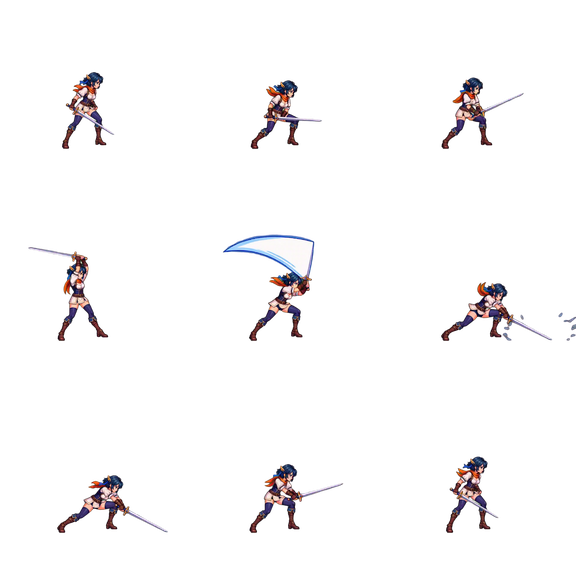
Create an account, upload one character image, and describe the move. AnimGen generates the motion and exports it as a sprite sheet, PNG frames, or GIF.
Animate a character with AIWelcome credits after verification