
AI pixel art animator
Animate pixel art characters with AI
Upload a pixel art character, describe the action, and review the generated motion. Keep the clean frames and export a transparent sprite sheet, PNG frames, GIF, or a pack for Unity, Godot, Unreal Paper2D, Cocos Creator, or Construct 3.
Real output

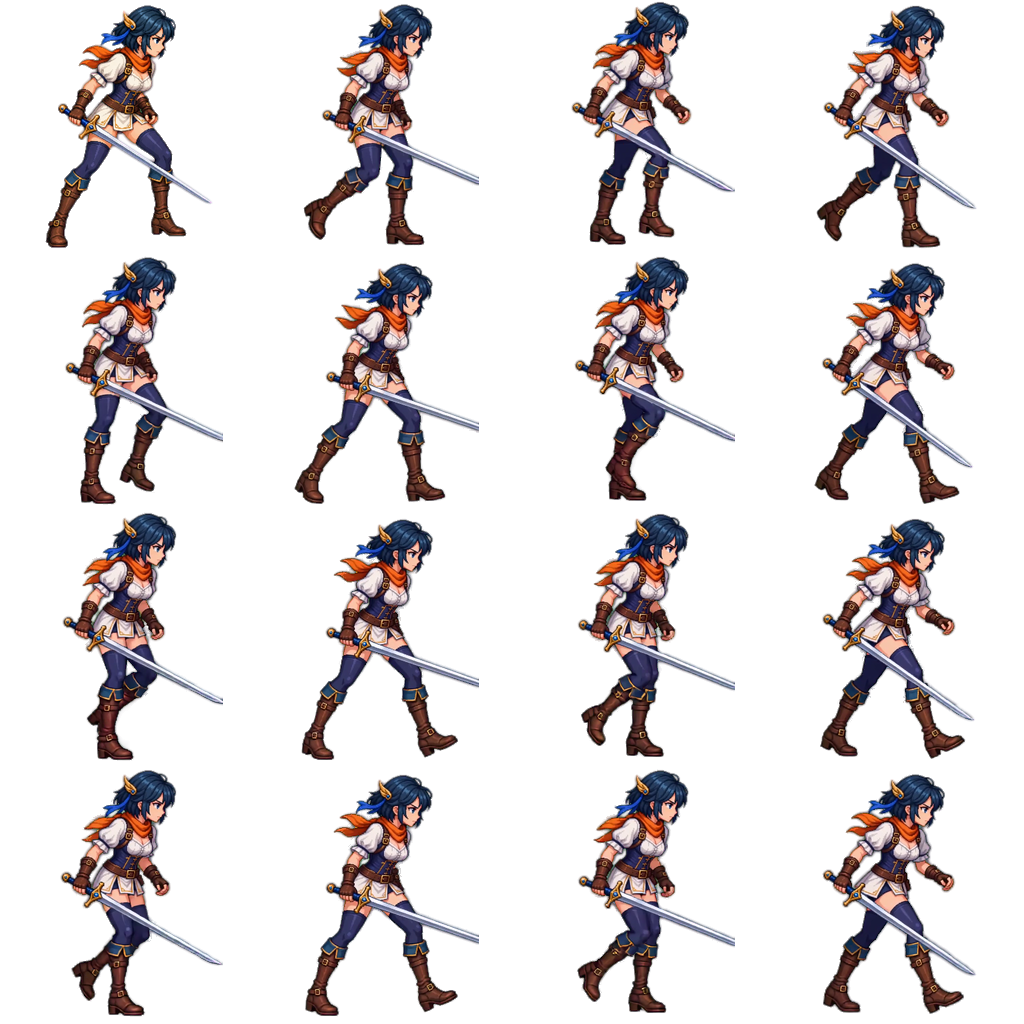
A pixel art walk cycle, animated from one PNG
This pixel art swordswoman was animated through the AnimGen MCP workflow on September 11, 2026. A 4-second walk generation was exported as a transparent 16-frame sprite sheet with JSON metadata.
- 16 transparent frames
- 4 × 4 grid
- 1024 × 1024 PNG
- 256 × 256 per frame
Pixel art workflow
Animate pixel art in four steps
Generation, review, and export stay separate, so the frames you ship are the frames you checked.
- 1
Upload pixel art
Use a pixel art character PNG, ideally with real transparency and room around the character to move.
- 2
Describe the motion
Name the action, such as walk, idle, or attack, and ask the model to keep the pixel-art style, framing, and scale.
- 3
Review and trim
Step through the preview frame by frame and select a clean loop or one-shot range.
- 4
Export the sprites
Choose the frame count and size, then export a sprite sheet with JSON, PNG frames, GIF, or an engine pack.
Another pixel art example
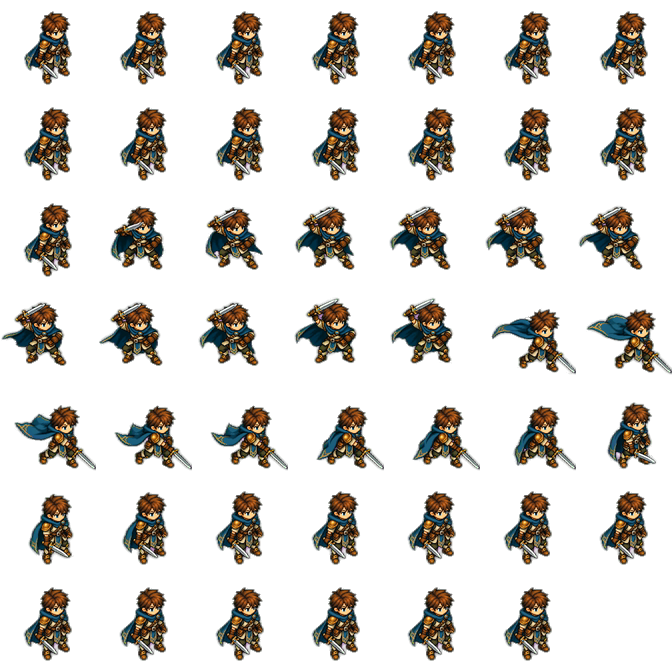
An isometric pixel art sword slash
The same review-first workflow produced this 48-frame transparent sprite sheet from an isometric pixel art tactician.
Before you export
Keep pixel art motion clean
- Say "keep the pixel-art style" in the prompt, as the published walk-cycle example does.
- Pick the frame count deliberately; fewer frames often read closer to hand-made pixel animation.
- Choose an output size that matches your game, such as 256 × 256 cells in the walk-cycle example.
- Check edges against both light and dark backgrounds before using the sprites in production.
Pixel art animator questions
Is this an AI pixel art generator?
AnimGen is an AI pixel art animator: it animates pixel art you already have. Upload a pixel art character and AI generates the motion frames; it does not create a new character from a text prompt.
Can AI animate pixel art without breaking the style?
Results vary with the source art, prompt, and model. Ask the model to keep the pixel-art style and review the exported frames before production use.
What size should the exported frames be?
You choose the frame count and dimensions before export. The published walk-cycle example uses 256 by 256 pixel cells.
Can pixel art sprites have a transparent background?
Yes. Start from a PNG with real transparency and use the transparent animation mode; alpha is rebuilt during export.
Which formats can I export?
Sprite sheet with JSON, PNG sequence ZIP, GIF, WebM Alpha, ProRes 4444, and packs for Unity, Godot 4, Unreal Paper2D, Cocos Creator, and Construct 3.
Related workflows
Animate your next pixel art character
Create an account, upload your pixel art, and export the sprites your game needs.
Start animating pixel art