
In this guide
In February 1996, Pokémon Red and Green arrived on a Game Boy screen 160 pixels wide and four shades of green deep. Thirty years later, December brings two anniversary releases worth putting on the calendar: three Pokémon art books in Japan on December 18, 2026, and the Pokémon TCG 30th Celebration Binder Collection in the US on December 4, 2026.
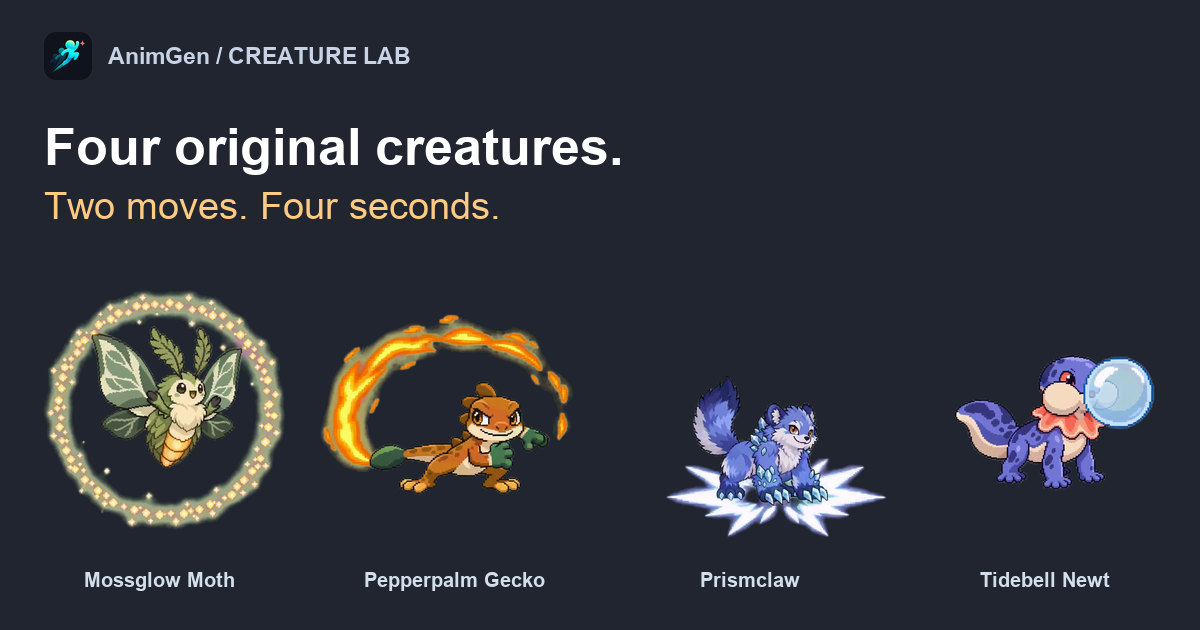
The art books are the ones we keep thinking about. They gather three decades of the series' game visuals, and reading the announcement made us want to draw. So we made four creatures of our own, gave each one a small first move, then let it show off, the way a Pokémon does when it is sent into battle. They are original designs made for fun, with no connection to Pokémon or its anniversary products.
What's releasing in December, and where
| Product | Region covered by the source | Scheduled date | Official details |
|---|---|---|---|
| Pokémon Visual Art Book, BOOK1–3 | Japan | December 18, 2026 | Japanese Pokémon announcement |
| Pokémon TCG: 30th Celebration Binder Collection | US | December 4, 2026 | US product showcase |
We checked both listings on October 21, 2026, and reread the Japanese page on October 22. They are different products in different regions, so there is no single worldwide December date to wait for. Check the official pages again before you order.
The Japanese set is published by OVERLAP, and its full subtitle is 30th anniversary Art Book of Pokémon Video Games developed by GAME FREAK. It runs from Pokémon Red and Green in 1996 through to the 2025 expansion for Pokémon Legends: Z-A, collecting pixel art, 3D graphics, illustrations, promotional art and design documents. The three full-colour B5 volumes are ¥5,500 each and are sold separately.
As animation makers, we would open the pixel-art pages first. The first-generation sprites were only a few dozen pixels across, yet you could name every creature from its silhouette. Then the sprites started to move. Pokémon Crystal gave each Pokémon a short animation when it appeared in battle, and by Black and White every sprite on the battle screen kept moving for as long as the fight lasted. Seeing a familiar creature idle for the first time felt like meeting it again. That is what we wanted to recreate: a design you can read at a glance, and a movement that tells you who it is.
Four original creatures, two moves each
A Pokémon can carry four moves. We gave each of ours two: a small, readable action to introduce it, then the signature move it would want to be remembered for. All four play at 24 FPS. The coloured backgrounds in these players are only for presentation; the WebM downloads further down are transparent.
Mossglow Moth: a quiet hover, then a shower of light
Anyone who stuck with a Caterpie long enough to see Butterfree knows how lovely a bug-type can turn out. The moth is our version of that feeling. Its leaf-shaped wings carry the silhouette, so we let it hover long enough for you to read them. Then the amber abdomen starts to glow, and one wingbeat sends out a widening ring of golden motes. Even at its brightest, it stays gentle.
Pepperpalm Gecko: a quick run and a very proud tail
Anyone who picked Charmander remembers keeping an eye on that tail flame. Our gecko takes a few quick steps, plants its feet and sweeps its tail through an arc of fire. The grin at the end is our favourite part. A move lands harder when the creature looks pleased with itself afterwards.
Prismclaw: a claw swipe, a leap and a crystal burst
Prismclaw is the one we would send out against a rival. A short swipe shows off the oversized claws first. Then it leaps, lands on its forepaws and rises to full height as the crystal light fades around it. A few of the burst's particles reach the edge of the canvas, but the body stays readable through the landing.
Tidebell Newt: a bubble that gets out of hand
In the early games, Bubble was a modest little Water-type move. Our newt takes it far more seriously. It shuffles forward a few steps, puffs out its cheeks and blows a bubble much too big for it. When the bubble bursts into smaller ones, the newt is the most surprised one there. If we had to choose a starter from these four, it would be this one.
Start with a silhouette you could recognise on a Game Boy
Pokémon designs survive being shrunk to a handful of pixels because each one has a feature you notice first: a tail flame, a shell, a bulb on its back. We designed our four the same way. The moth has its wings, the gecko its tail, Prismclaw its claws and the newt its frilled neck, and each feature suggested the move that creature would make.
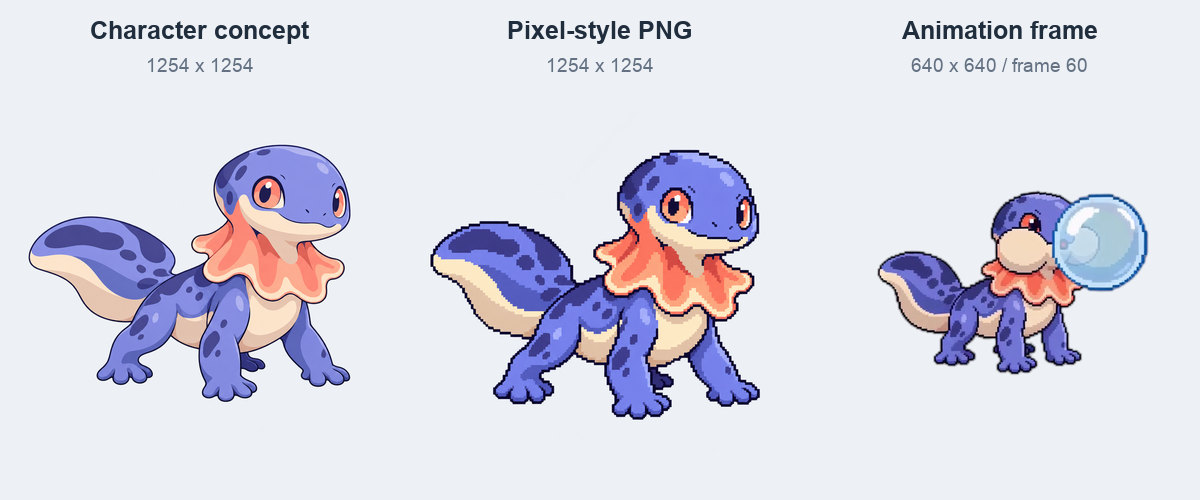
We picked four concept images and made a pixel-style version of each. The results are 1254 × 1254 transparent PNGs. They look pixel-inspired, but they are not native low-resolution sprite grids, and the generated motion softens some edges further. If you need strict pixel art for a game, plan a separate palette and grid cleanup pass.
Before writing a long action prompt, check two things: can you recognise the creature without its effect, and does its standout feature hint at a movement? If both answers are yes, the prompt mostly needs to describe the order of events.
Leave room for wings, tails and a jump
A Pokémon gets a whole battle screen to show off in. A four-second clip gets one square frame, so the space has to be planned. We turned on Expand Canvas for all four clips, kept the output at 1:1 and shrank each input inside that canvas so its signature move had room.
| Creature | Input-image scale | Position in the canvas |
|---|---|---|
| Mossglow Moth | 60% | Centred |
| Pepperpalm Gecko | 60% | Centred horizontally, 55% vertically |
| Prismclaw | 55% | Centred horizontally, 62% vertically |
| Tidebell Newt | 65% | 42% horizontally, 55% vertically |
These percentages are the image-scale and position settings, not measurements of the visible creature. Nudging the newt left gave its bubble space on the right, and setting Prismclaw lower left headroom for the jump. With a fixed camera, that space stays where you put it for the whole clip.
One small action, then the signature move
Think of a Pokémon being sent out: a brief moment to see it, then the move. Our brief followed the same rhythm, with about one second of a simple action and three seconds of performance. We described the order of events and the reaction at the end, then reviewed what came back instead of counting on an exact one-second cut.
Here is a shortened version of the newt prompt that you can adapt for your own creature:
Keep the same creature design and a fixed camera. Keep the whole creature
inside the frame. Begin with a few small steps in place. Then puff out
the cheeks and blow one large bubble. Let it pop into small bubbles near
the nose, followed by a startled expression and a small head shake.
Use one continuous shot. Leave room for the bubble on the right.
The reaction at the end gives each move its personality. A proud grin, a startled face or a calm return to hovering often makes a better short post than squeezing in a third attack. If you need separate game actions instead, the multiple-actions-in-one-video case shows how to pick out the usable sections afterwards.
Keep the glow, the bubbles and 24 FPS
Each generation came back at 640 × 640, 97 frames at 24 FPS, or about 4.04 seconds from a four-second request. We left that timing alone in the previews and exports, closing expressions included.
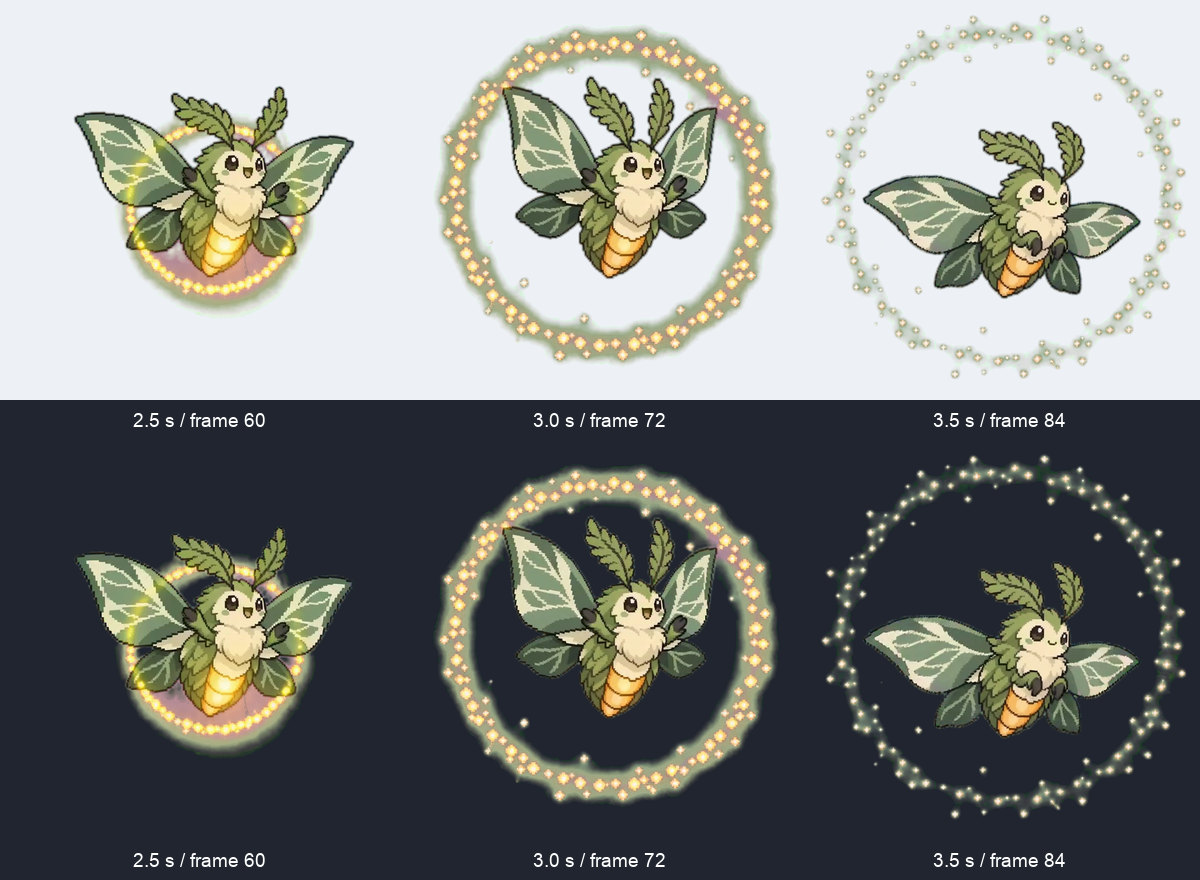
Signature moves tend to leave the body: rings of light, flames, crystal shards, bubbles. Check those as carefully as the creature itself. All four effects survived the transparent export. Pepperpalm Gecko's body did shift towards orange-brown compared with the raw source; we reviewed it and kept that version for this batch. For tighter control over edge colour, see the transparent-animation edge guide.
These are short performances, so their first and last frames do not join into game loops. The walking-loop example covers that separate editing job.
What it cost, and what you can download
We generated each creature once with Seedance 2.0 Fast, 480p, four seconds, 1:1 and Alpha Key. Each run cost 36 credits, so the whole team of four came to 144 credits. The transparent exports were quoted and charged at 0 credits. Those are the measured costs for this batch; get a fresh quote and check the pricing page for your own settings.
| Creature | Actual input | Transparent animation |
|---|---|---|
| Mossglow Moth | PNG | WebM |
| Pepperpalm Gecko | PNG | WebM |
| Prismclaw | PNG | WebM |
| Tidebell Newt | PNG | WebM |


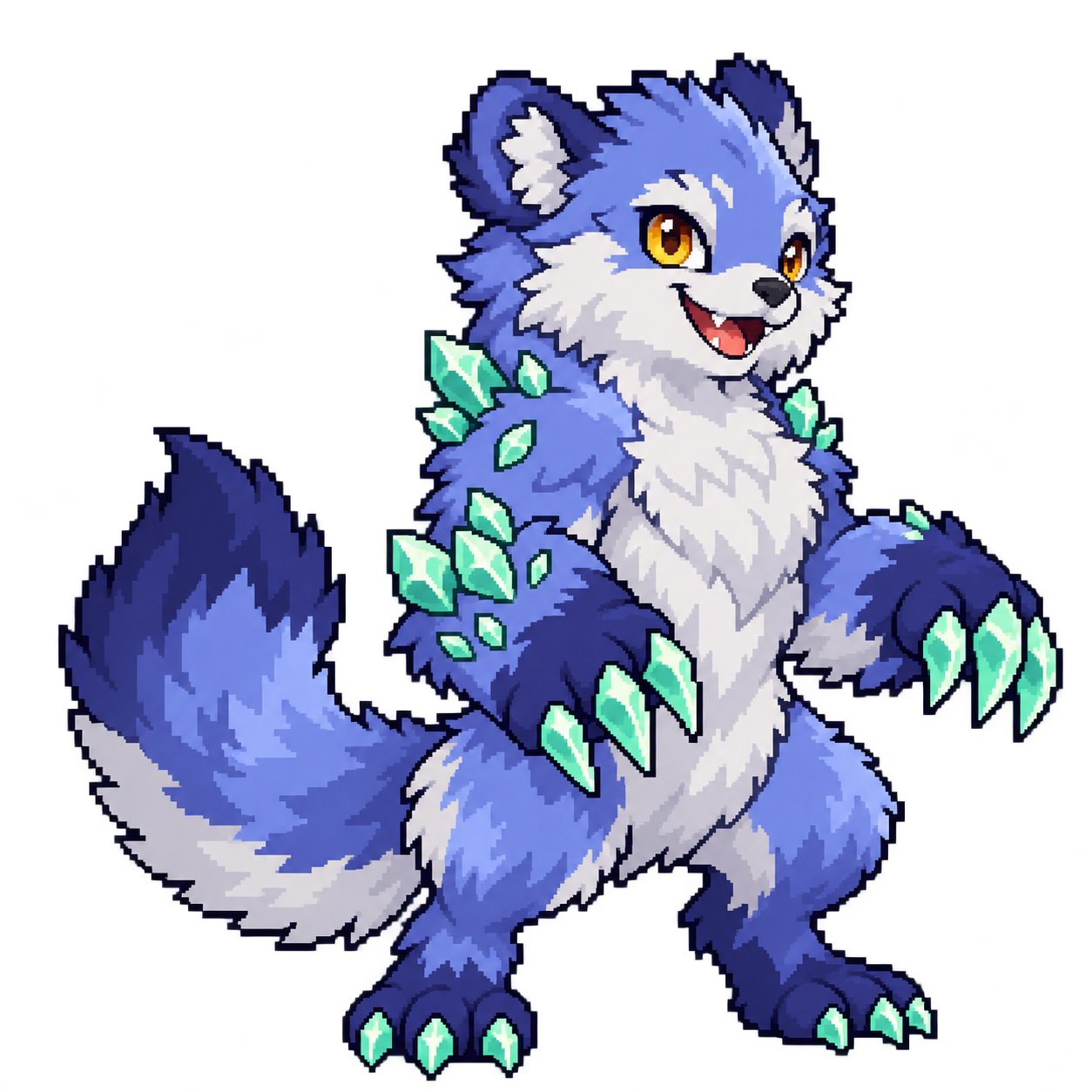

We also exported 24 FPS sprite sheets with JSON timing. One remote WebM export failed, so we encoded the moth's downloadable WebM locally from its successful transparent frames; no motion was generated again. The media record lists dimensions, costs and file hashes.
Give your own creature its first move
A lot of Pokémon fans have invented a creature of their own at some point: sketched in a notebook margin, given a type, maybe even a move list. Most of those creatures have never moved. The 20-second social edit shows what that first move looks like for ours, with each input image on screen for one second before its full animation.
Start with one original design. Choose one quiet action and one moment that shows its personality, then leave room in the frame for that moment. You can bring your own PNG to AnimGen and try it, or read how the transparent animation maker works first.