In this guide
WebM Alpha, ProRes 4444, and a PNG sequence can all carry transparency, but each serves a different delivery stage. Use WebM Alpha for a compact web deliverable, ProRes 4444 for editing and compositing, and an RGBA PNG sequence when you need lossless access to every frame.
That answer still leaves two important questions: how large is each output when the animation is identical, and does the Alpha channel survive a real encode-and-decode round trip? We exported all three from the same AnimGen animation, measured the resulting files, decoded both videos back to frames, and made the source files available below.
Choose by delivery target
| Destination | Best starting choice | Why | Main tradeoff |
|---|---|---|---|
| Website or compatible browser runtime | WebM Alpha | One compact video file with transparency | Alpha playback is not supported consistently across all browsers |
| Video editor, motion graphics, or compositing | ProRes 4444 | High-fidelity interchange format with Alpha | Much larger file and unsuitable for routine website delivery |
| Frame inspection, archiving, or a custom pipeline | RGBA PNG sequence | Every frame is an independent lossless image | Many files, more storage, and frame order/timing must be preserved |
| Real-time 2D game runtime | Sprite sheet or engine pack | Packs frames and timing for the target engine | It is a different delivery structure, so validate texture size, pivot, filtering, and metadata |
If you control the whole pipeline, keep the PNG sequence as a portable source and derive the delivery format from it. If you only need one export, choose for the final destination—not for whichever extension sounds most advanced.
One transparent animation, three real files
The test uses AnimGen's public isometric tactician slash sequence. The source contains 96 RGBA PNG frames at 512 × 512 pixels, played at 24 FPS for 4.00 seconds. The canvas stays fixed, the animation is non-looping, and the transparent corners make a straightforward Alpha sanity check.

You can inspect the exact files used in this comparison:
- Download the 96-frame RGBA PNG sequence ZIP
- Download the WebM Alpha export
- Download the ProRes 4444 MOV export
- Open the measurement manifest and SHA-256 digests
Both video files were produced by the current AnimGen export encoders from those same 96 frames. The WebM probe reports VP8 with ALPHA_MODE=1. The MOV probe reports ProRes profile 4444, codec tag ap4h, and pixel format yuva444p12le. We then decoded each video back into 96 PNG frames before comparing it with the source.
With FFmpeg installed, you can inspect the same container and stream fields on either download:
ffprobe -v error -show_entries "stream=codec_name,profile,codec_tag_string,pix_fmt,width,height,r_frame_rate:stream_tags=ALPHA_MODE:format=duration" -of json your-export.webm
Metadata alone is not the final transparency test, which is why the decoded frames and background composites matter too.
Measured file sizes
For this one sample, the files were:
| Output | Exact size | Approximate size | Relative to WebM |
|---|---|---|---|
| WebM Alpha | 828,010 bytes | 0.79 MiB | 1× |
| PNG sequence ZIP | 14,427,494 bytes | 13.76 MiB | 17.42× |
| ProRes 4444 MOV | 20,052,159 bytes | 19.12 MiB | 24.22× |
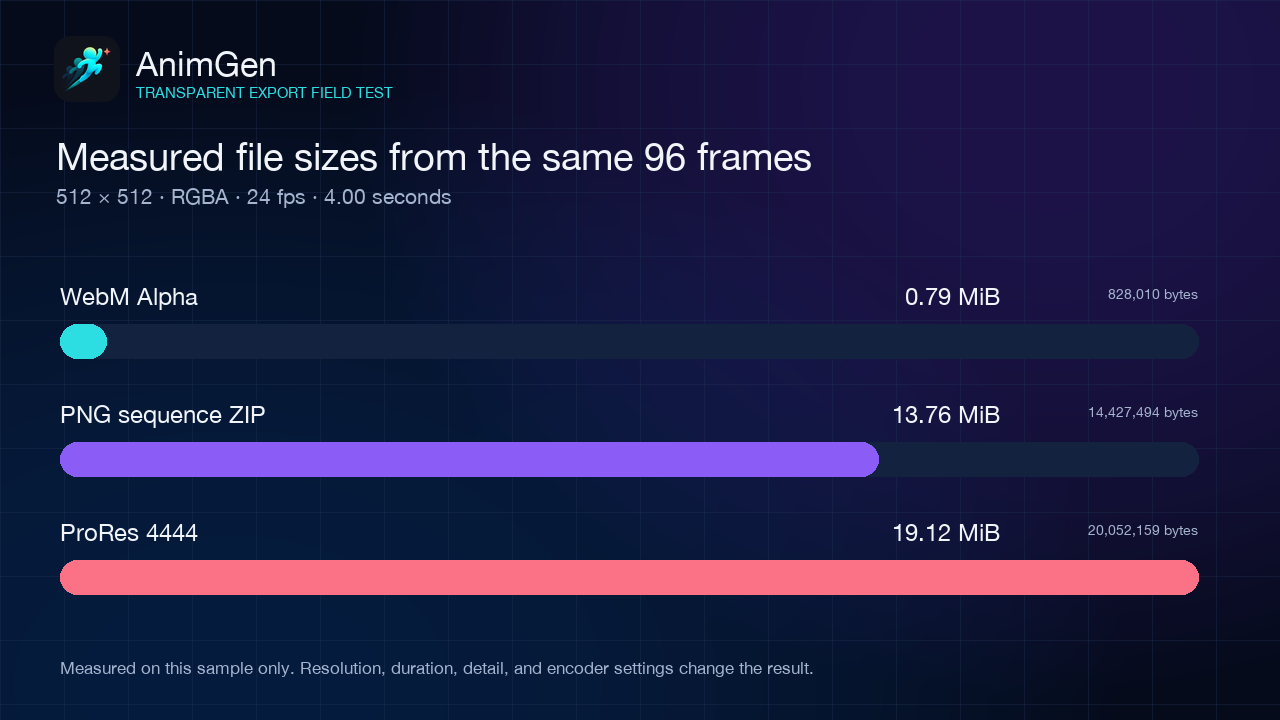
This compression ratio belongs to one measured sample. Resolution, duration, image detail, motion, encoder settings, and even how a ZIP groups the PNG files can all change the outcome. The WebM is dramatically smaller here, while the PNG sequence and ProRes file retain production-friendly structures at a higher storage cost.
Did transparency survive the video round trip?
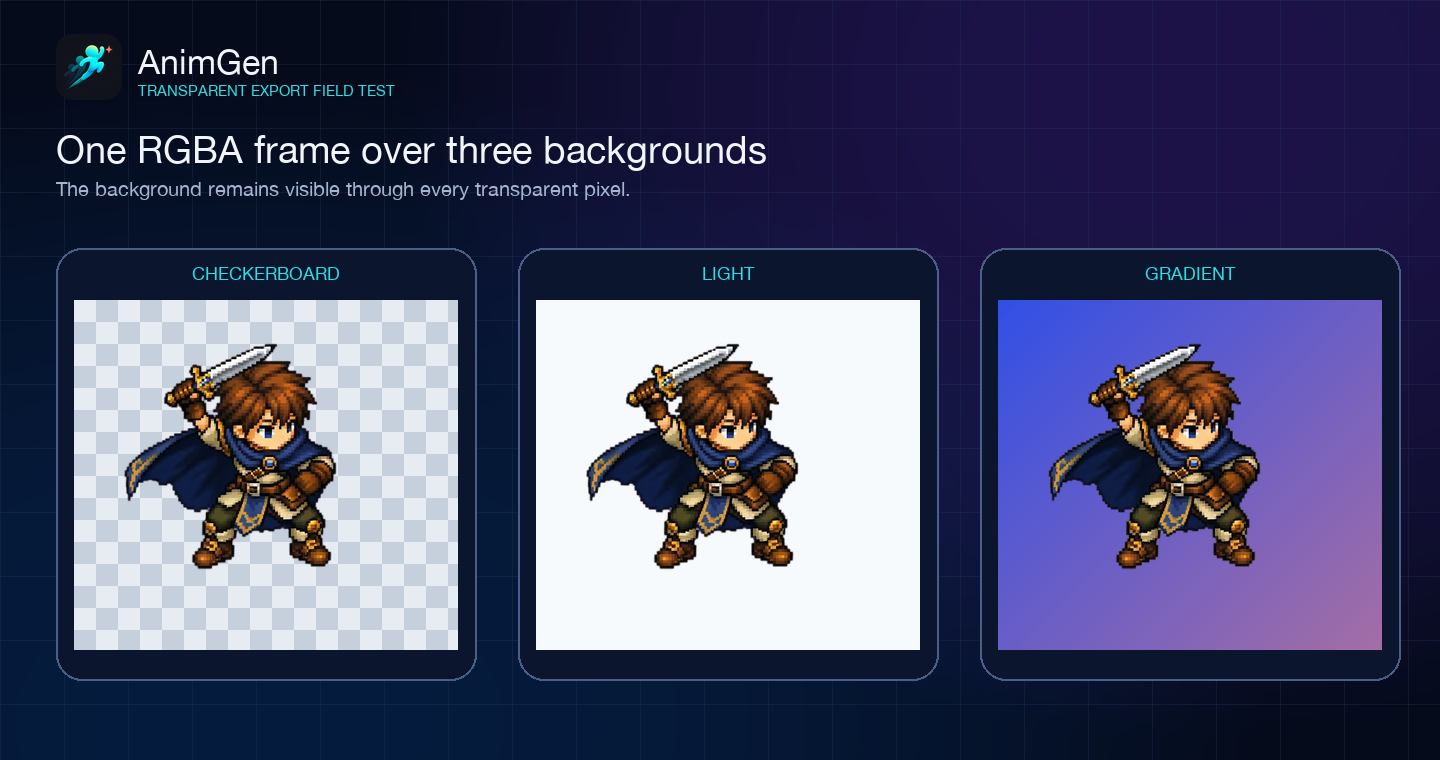
Yes, in this test. Both decoded video outputs contained 96 frames with an Alpha range from 0 to 255, and all four corner samples remained fully transparent. The same exported frame could therefore be composited over light, dark, and saturated backgrounds without a baked rectangle.
We also measured the mean absolute error against the original RGBA frames on a 0–255 channel scale:
| Decoded output | Mean Alpha error | Highest per-frame Alpha error | Mean visible RGB error |
|---|---|---|---|
| WebM Alpha | 0.0497 | 0.0911 | 2.5984 |
| ProRes 4444 | 0.0016 | 0.0038 | 0.4524 |
For the RGB comparison, “visible” means a source pixel with Alpha greater than 8. A value of zero would be an exact pixel match. Both formats retained usable transparency in this sample, while the decoded ProRes result stayed closer to the source pixels. That is consistent with their intended roles, but it does not prove that every ProRes export will look visibly better in every destination.
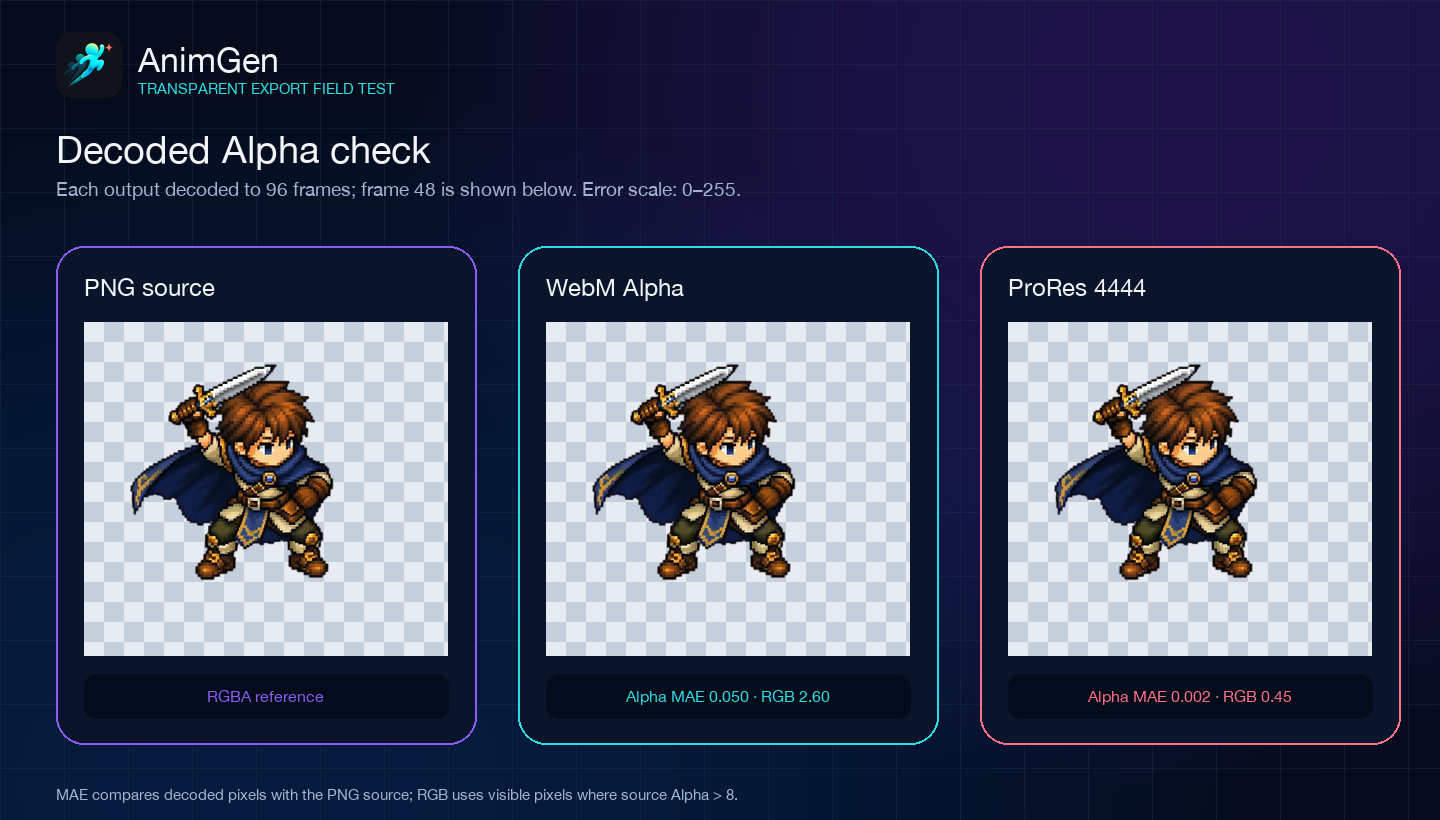
The PNG sequence needs no video round trip: the ZIP contains the original independent RGBA frames. That makes it the clearest baseline when you need to determine whether an artifact came from the generated frames, the video encoder, or the destination decoder.
Choose WebM Alpha for compact web delivery
WebM Alpha is the strongest first choice when a transparent character, effect, or mascot needs to run inside a compatible browser or web-based runtime. In our sample it was under 1 MiB, so it avoids the 96 image requests and much larger combined payload of the source sequence.
There are two cautions.
First, a browser saying it supports “WebM” does not guarantee that it supports Alpha for the exact codec. AnimGen currently exports VP8 Alpha. MDN's video codec guide notes that Safari does not support Alpha transparency in VP8 or VP9 video. Test the actual browser, operating system, device, embedded webview, and player used by your product.
Second, keep a real transparent PNG poster or fallback. A modern browser may understand the <video> element while failing to decode or composite the supplied Alpha source correctly. The safest implementation uses a separate <img> and switches to the video only after the target path proves usable. The complete transparent animation website guide includes the HTML, CSS, fallback behavior, reduced-motion handling, and a downloadable working example.
Use WebM Alpha when:
- download size matters;
- the animation is delivered as one video rather than accessed frame by frame;
- the browser or runtime matrix is known and tested;
- you can supply a PNG fallback for unsupported paths.
Do not treat it as the only master copy if you expect to re-edit individual frames later.
Choose ProRes 4444 for editing and compositing
ProRes 4444 is designed for motion graphics, compositing, and interchange workflows that need Alpha in a high-quality video file. Apple's ProRes white paper describes ProRes 4444 and 4444 XQ as supporting 4:4:4:4 image sources and Alpha channels up to 16-bit depth.
Our decoded ProRes output tracked the source more closely than WebM on both Alpha and visible RGB. The cost was size: the 4-second MOV was 19.12 MiB, about 24 times the WebM export. That can be entirely reasonable for an editing master and wasteful for a page asset.
Use ProRes 4444 when:
- the next stop is an editor, compositor, broadcast, or motion-graphics pipeline;
- one timeline-ready file is preferable to a directory of frames;
- maintaining high-fidelity color and Alpha through an intermediate stage matters more than download size;
- the exact destination application has been tested with ProRes 4444 Alpha.
Do not upload a large ProRes master to a website simply because it contains transparency. Create a smaller delivery derivative instead.
Choose an RGBA PNG sequence for control and diagnosis
A PNG sequence is the least ambiguous representation of the animation. Each frame is an independent RGBA image, can be inspected directly, and can be replaced without re-encoding the rest of the motion. PNG itself is a lossless image format standardized by the W3C in the PNG specification.
That structure is especially useful when:
- an artist needs to retouch one or two frames;
- a custom tool reads pixels, masks, or frame rectangles directly;
- you need a portable source for later WebM, ProRes, sprite-sheet, or engine exports;
- transparency is broken and you need to isolate the failing stage.
The tradeoff is operational rather than mysterious: 96 files must stay in the correct order, the playback rate is external metadata, and storage or transfer can grow quickly. The ZIP makes delivery convenient, but a game or editor still has to unpack and interpret the frames.
When importing a PNG sequence, verify filename ordering, FPS, canvas size, pivot, color handling, texture filtering, and whether the destination expects straight or premultiplied Alpha. A perfect set of source pixels can still look wrong after an unsuitable import setting.
For games, consider a sprite sheet or engine pack
WebM, ProRes, and PNG sequences are not the only options. A 2D game often benefits from a sprite sheet plus timing and pivot metadata, or a package made for its engine. Those outputs trade generality for easier runtime import and fewer texture switches.
This format comparison deliberately keeps the three inputs identical at 512 × 512 per frame. The existing public engine samples use a different runtime-oriented packing configuration, so their file sizes are not included in the chart. Compare them as a workflow choice, not as a fourth bar in this exact codec test.
If Godot is your destination, the Godot 4 import field test shows a complete public package, 96 frame regions, playback timing, and a reproducible project. The output format reference covers sprite sheets, Unity, Godot, Unreal Paper2D, Cocos Creator, and the corresponding API format names.
Why a transparent video sometimes appears black
A black rectangle does not immediately prove that the file lost Alpha. Check the pipeline in this order:
- Open one matching PNG frame over both a light and a dark background.
- If the PNG is transparent, inspect the video with a decoder or compositor known to support its codec and Alpha mode.
- Confirm that the server sends WebM as
video/webmand ProRes MOV asvideo/quicktime. - Test the exact destination browser or application instead of relying on an operating-system thumbnail.
- If every output is opaque, return to the source Alpha and transparent export settings.
The three-background image above is deliberately simple: a real transparent edge should work over more than one convenient color. Fine hair, glows, motion blur, shadows, and colors close to a key background deserve closer inspection than empty corners. The transparent format compatibility guide and export troubleshooting guide cover those checks in more detail.
A practical export strategy
You do not have to choose only one format for the lifetime of a project. A resilient workflow is:
- Generate and trim the useful motion.
- Export PNG frames first and inspect representative frames over several backgrounds.
- Keep the PNG sequence or ProRes 4444 as the production source, depending on whether your team works frame-first or timeline-first.
- Produce WebM Alpha for a tested web destination.
- Produce a sprite sheet or engine package for a real-time game destination.
- Save the FPS, frame order, canvas, and pivot information alongside the assets.
In AnimGen, free PNG-frame export lets you inspect whether the result is usable before committing to a production format. WebM Alpha, ProRes 4444, sprite metadata, engine packages, and commercial use follow the current paid plan or Credit Pack entitlements; see current export and commercial-use access rather than relying on a price copied into an article.
If you already have a transparent PNG character, start with the transparent animation workflow, generate the motion, and export for the destination that will actually use it. Choose a format that your next tool can verify, edit, and ship; an impressive specification has little value when the destination cannot use it reliably.